Friday, October 30, 2009

Happy Halloween


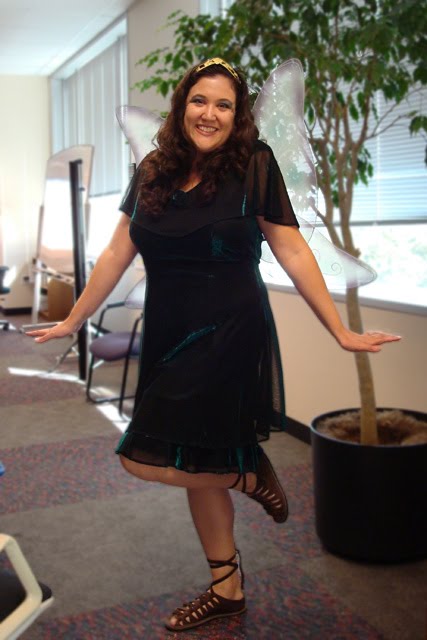
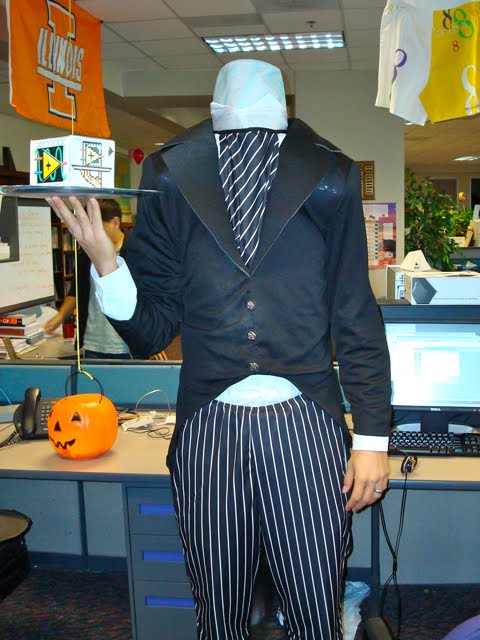
It's Friday, October 30, at 12:50PM and the LabVIEW team Halloween Demo day is about to start! I wasn't very creative this year, so I'm just a run-of-the-mill fairy. Norm, however, went all out on his VI Server costume!

Tuesday, October 27, 2009

The "R" in "R&D"

I'm so excited to be able to share with you the project that I've been working on recently! As far as I know, this is the first time LabVIEW R&D has been able to run a Pioneer program to get customer feedback on a research project.

I'd like to emphasize that this is Research. This version of LabVIEW is a Pioneer. That could mean many things, but in this case it means that this version is not approved for production work and the features in it are not guaranteed to be in any future version of LabVIEW.

If you see something you like or dislike in this Pioneer, please let us know! This is an opportunity for you to directly affect the future design of LabVIEW.

I encourage you to watch these two short videos on the LabVIEW Notebook:
If you have time to "get behind the wheel," please join the LabVIEW Notebook Pioneer program and try it out. Although it's not actually a Beta, we're running the Pioneer through the Beta Program Resource Center, so to sign up go to ni.com/beta and select the product LabVIEW Notebook.

Once approved to the program, you'll receive an e-mail invitation to join a private group on ni.com/Community. That's where you can download the Pioneer and discuss it on our private forum.

Note that the LabVIEW Notebook is intended to complement the LabVIEW Project, not replace it. However, if you have ideas for how concepts in the Notebook could be applied to Projects as well, we'd love to discuss them with you!

Thursday, October 22, 2009

Moving Servers

I've decided to move the Eyes On VIs blog to my own server since some people can't view blogspot.com content at work.

It's likely that I'll break some thing in this move. (I probably already have, while setting up for it). The new location will be http://www.eyesonvis.com/blog/

The old Blogger RSS feeds will become invalid. If you want to subscribe via RSS, I recommend you use the Feedburner feed: http://feeds.feedburner.com/eyesonvis

I apologize for any inconvenience!

[Edit] As far as I know, this won't affect e-mail subscriptions (through FeedBurner) at all.

Friday, August 28, 2009

Changes to the LabVIEW 2009 Getting Started Window


I made a few changes to the Getting Started window in LabVIEW 2009.

On the right-hand side, the top section is now Latest from ni.com. These links monitor feeds from ni.com*, notifying you of new content by displaying a number in parentheses to show how many articles have been posted in that category since the last time you clicked the link.**

If you mouse over these links, a tip strip previews the titles of the new articles.

On the left-hand size, there is now a dividing graphic that appears in the recent files list, between the projects and other files.

Also, it's not in Tools>>Options yet, but LabVIEW 2009 supports a config token for changing how many recent projects appear on the Getting Started window. Example: "MaxGSWRecentProjects=10" (The default is 2).

I hope you find these changes useful!

* - The web feeds are available only in the English version of LabVIEW 2009.
** - You might actually see more links when you click the link, because we filter out posts for modules that you're not using when determining the Getting Started window count. If you don't want LabVIEW to check the web for this information, you can disable the updates in Tools>>Options.

Wednesday, August 26, 2009

Improved Block Diagram Cleanup in LabVIEW 2009


One of my favorite features in LabVIEW 2009 is the improved Block Diagram Cleanup. We first saw Cleanup in LabVIEW 8.6. It worked well, but had a few limitations that caused me to use it only on small, simple VIs.

The improvements in LabVIEW 2009 have made Cleanup much more useful to me. It's a huge time-saver!

The most noticeable change is that you can now cleanup selections instead of entire diagrams. I use this frequently, selecting a loop or case structure and then clicking on the Cleanup button (the icon of a broom).

Another significant change is that LabVIEW handles free labels more intelligently. Instead of treating them the same as functions and moving them arbitrarily, LabVIEW attempts to keep free labels with the items that they probably describe. This is especially useful when you have labels on top of wires describing their data.

Finally, there is the ability to exclude individual loops and structures from the block diagram cleanup. This allows you to "lock down" sections of the code while still using the diagram-wide automatic cleanup. To use this feature, right click on the frame of a loop or structure and choose "Exclude from Diagram Cleanup."

No more spaghetti code!

Labels: